Getting started
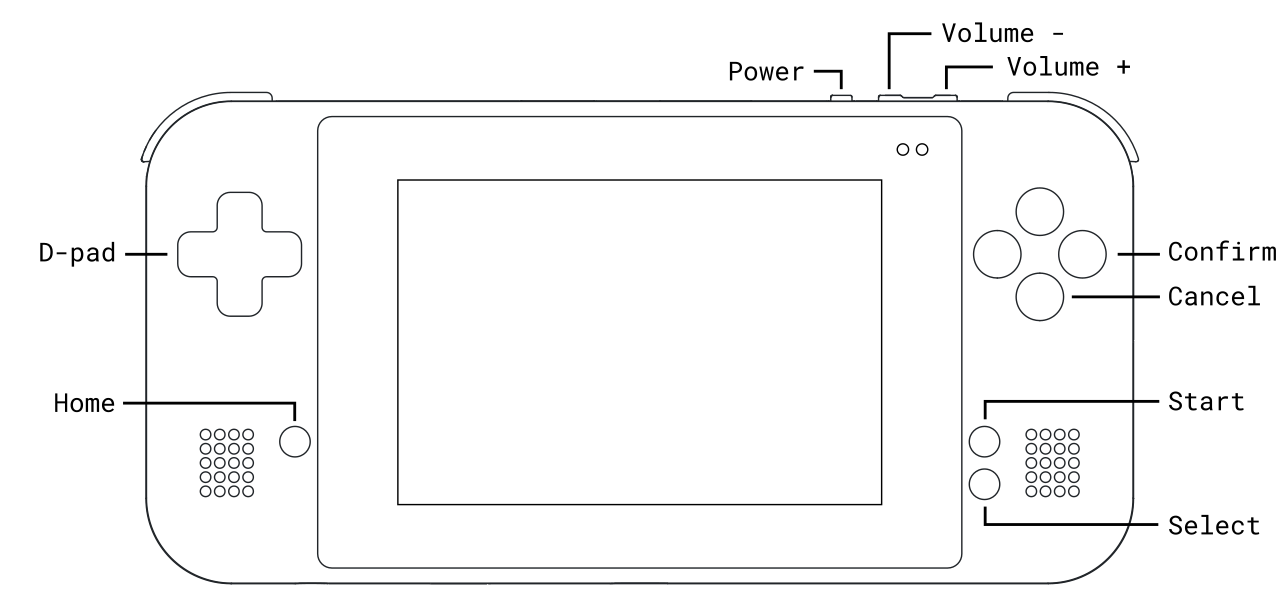
Device diagram


Power and charging
To turn on your Game Bub, press Power. A glowing purple light indicates the device is booting up.
To turn Game Bub off, press the Power and select "Power Off" from the menu. To forcibly turn off an unresponsive device, hold Power for 7 seconds or until the device turns off.
Charge the device via the USB-C port on the bottom with a 5V power supply that can supply at least 1.5A. A solid orange light indicates the device is charging, and the light will turn off when the device is fully charged.
Navigating menus
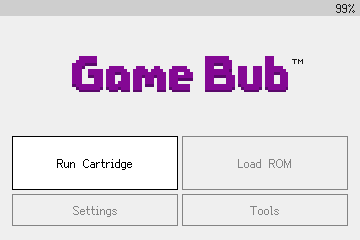
The first time you turn on your Game Bub, you'll go through a quick button tutorial and a regulatory information page.
Use the D-Pad, Confirm, and Cancel buttons to navigate menus.
Use Volume+ and Volume- to adjust the audio volume. While holding Home, press Volume+ and Volume- to adjust the display brightness.